
The operator screen for your compressor room.
TSI is E Care's control and monitoring platform for centrifugal compressors — live overview, per-machine detail, loadshare sequencing, historical trending, and a full event log, all in one system. It's also the foundation for TSI Remote Monitor, our browser-based remote access layer.
What TSI actually looks like.
Real screens from the platform — click through to see how each one supports running, sequencing, and troubleshooting your compressor room.
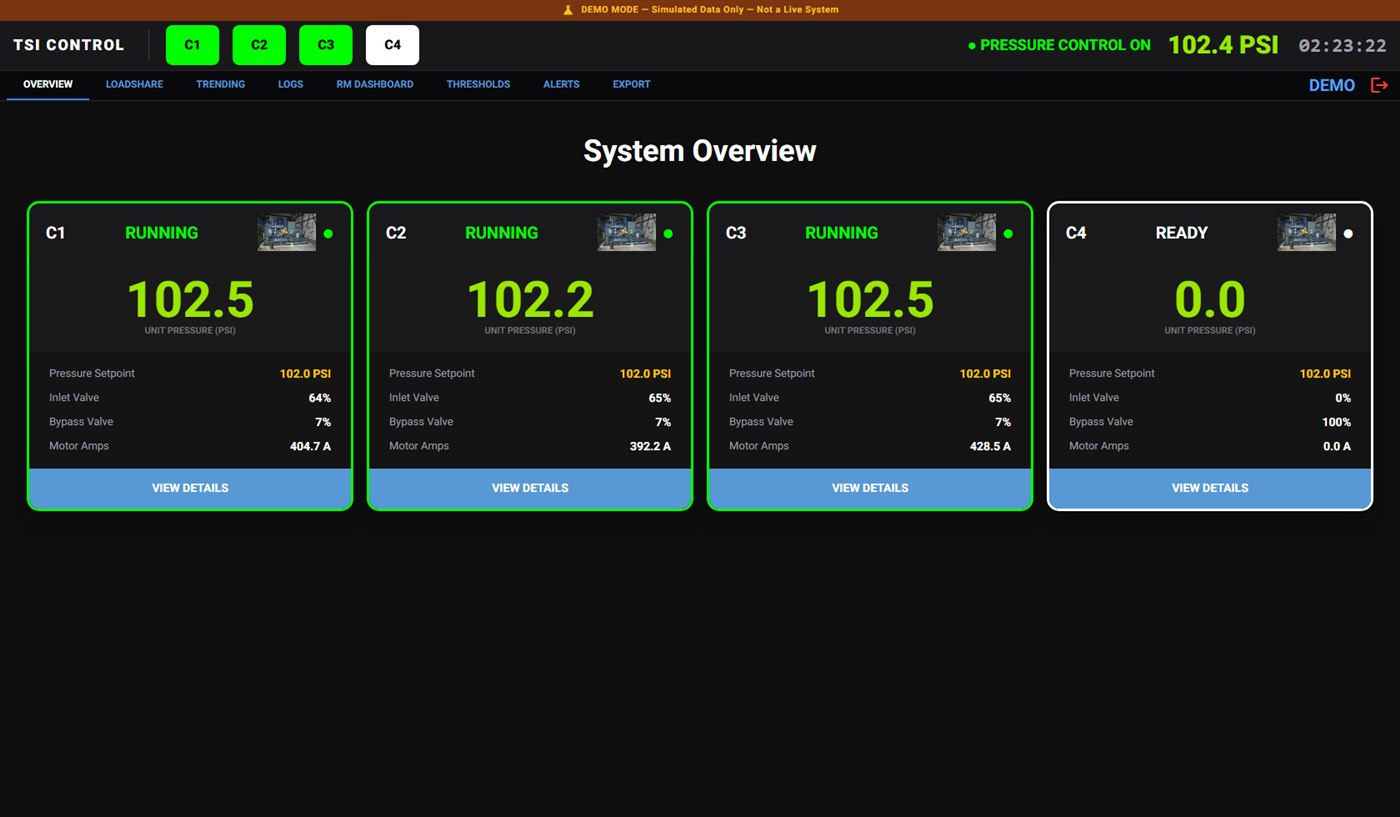
System Overview
Every compressor at a glance — live unit pressure, pressure setpoint, inlet and bypass valve position, and motor amps, with running status color-coded so problems jump out immediately.
One system, the whole compressor room
Live Overview
Every compressor's status, pressure, and valve position on one screen, color-coded by state.
Full I/O & Control
Every digital input/output and Start/Stop/Load/Unload/Reset command, per machine.
Loadshare Sequencing
Automatic load/unload/start/stop sequencing across multiple compressors to hold header pressure.
Trending & Event Log
Chart any tag over any time window, and a full searchable, exportable history of every event.
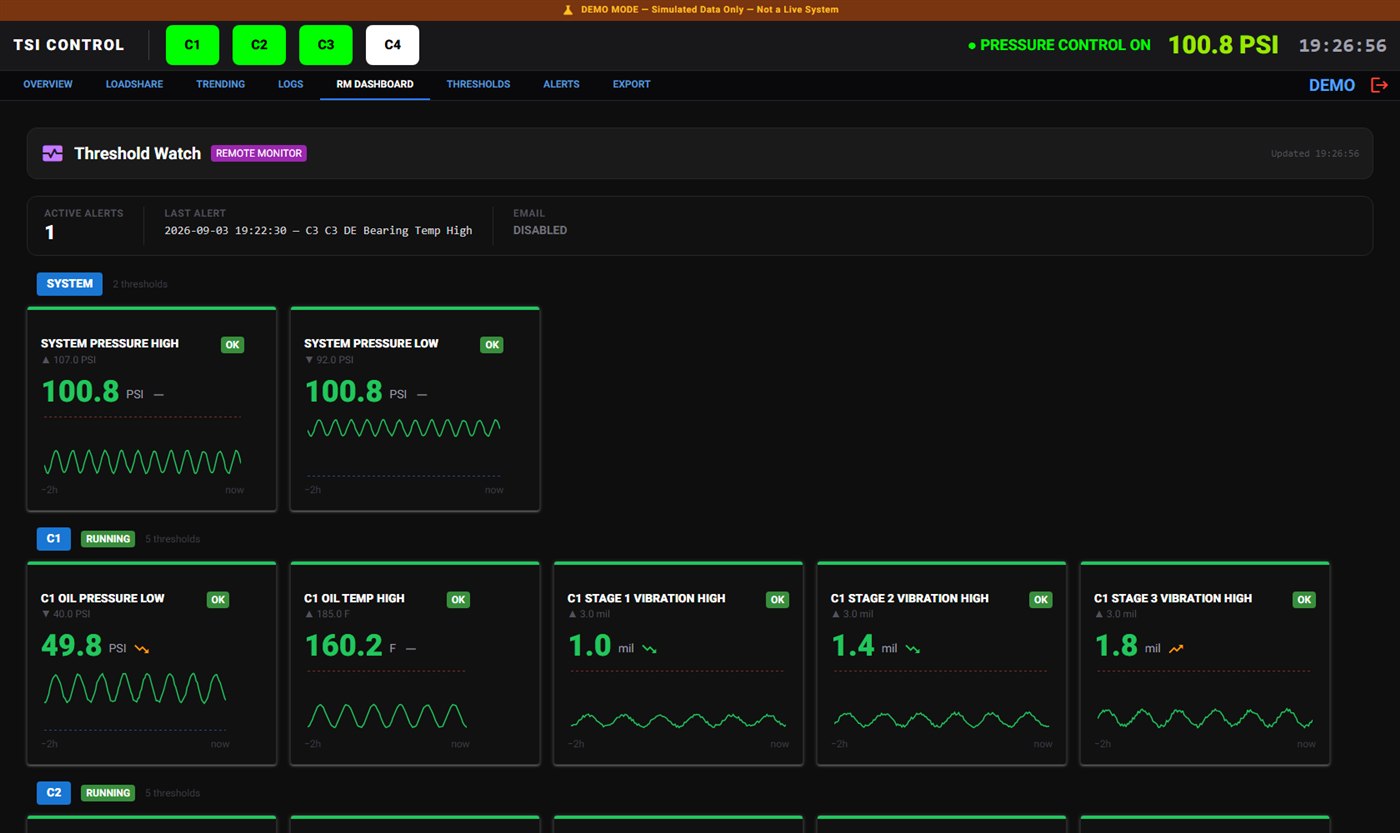
Check it from anywhere, not just the panel.
TSI Remote Monitor extends this same system into a browser — a live threshold dashboard, alarm history, and email alerts, so plant managers and E Care techs can both see machine health without walking the floor.
Explore Remote Monitoring